Provide utility scripts
Even if Claude could write a script, pre-made scripts offer advantages:
**Benefits of utility scripts**:
* More reliable than generated code
* Save tokens (no need to include code in context)
* Save time (no code generation required)
* Ensure consistency across uses
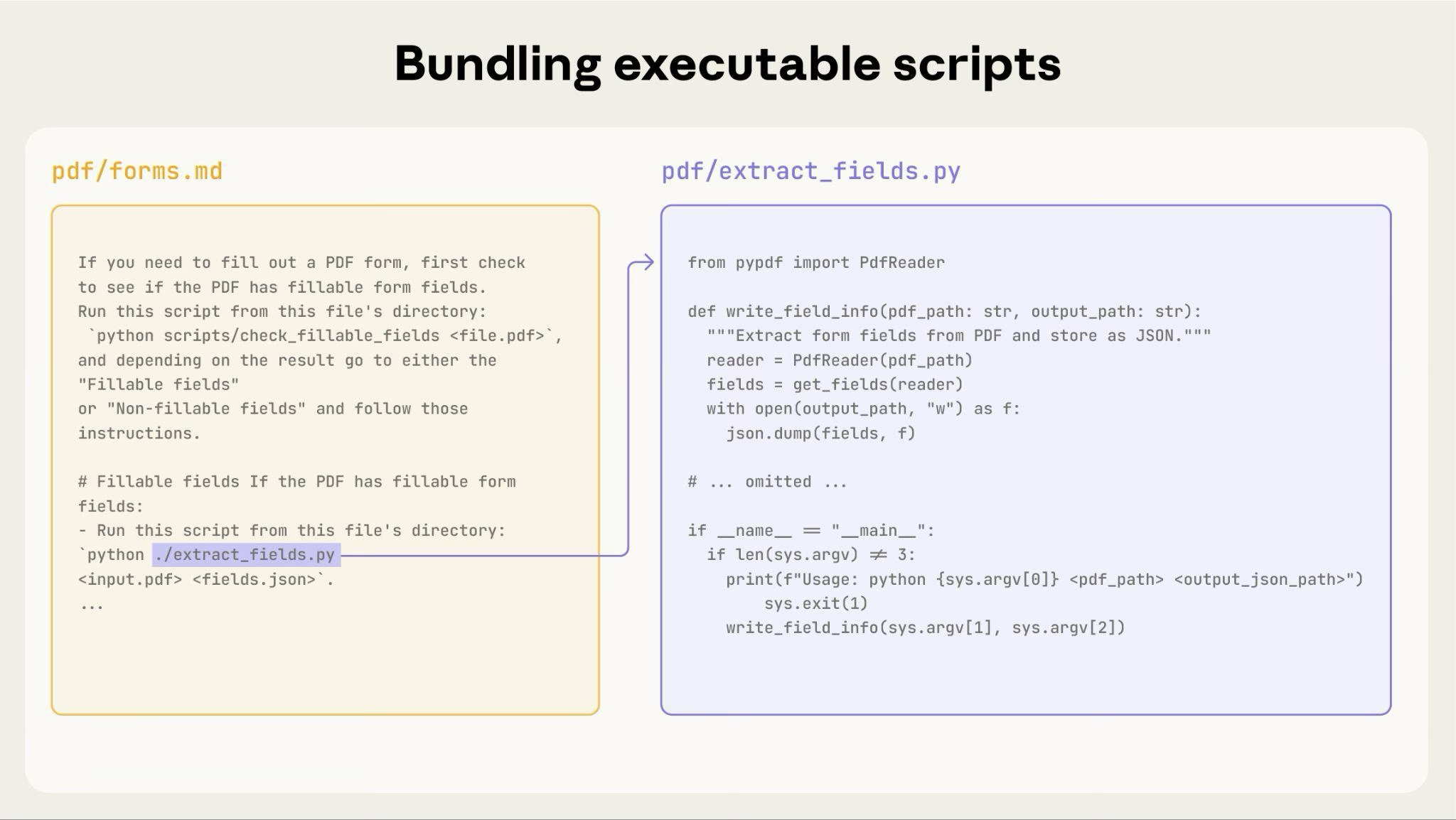 The diagram above shows how executable scripts work alongside instruction files. The instruction file (forms.md) references the script, and Claude can execute it without loading its contents into context.
**Important distinction**: Make clear in your instructions whether Claude should:
* **Execute the script** (most common): "Run `analyze_form.py` to extract fields"
* **Read it as reference** (for complex logic): "See `analyze_form.py` for the field extraction algorithm"
For most utility scripts, execution is preferred because it's more reliable and efficient. See the [Runtime environment](#runtime-environment) section below for details on how script execution works.
**Example**:
````markdown theme={null}